
Cradle of the Rift
Gameplay Synopsis
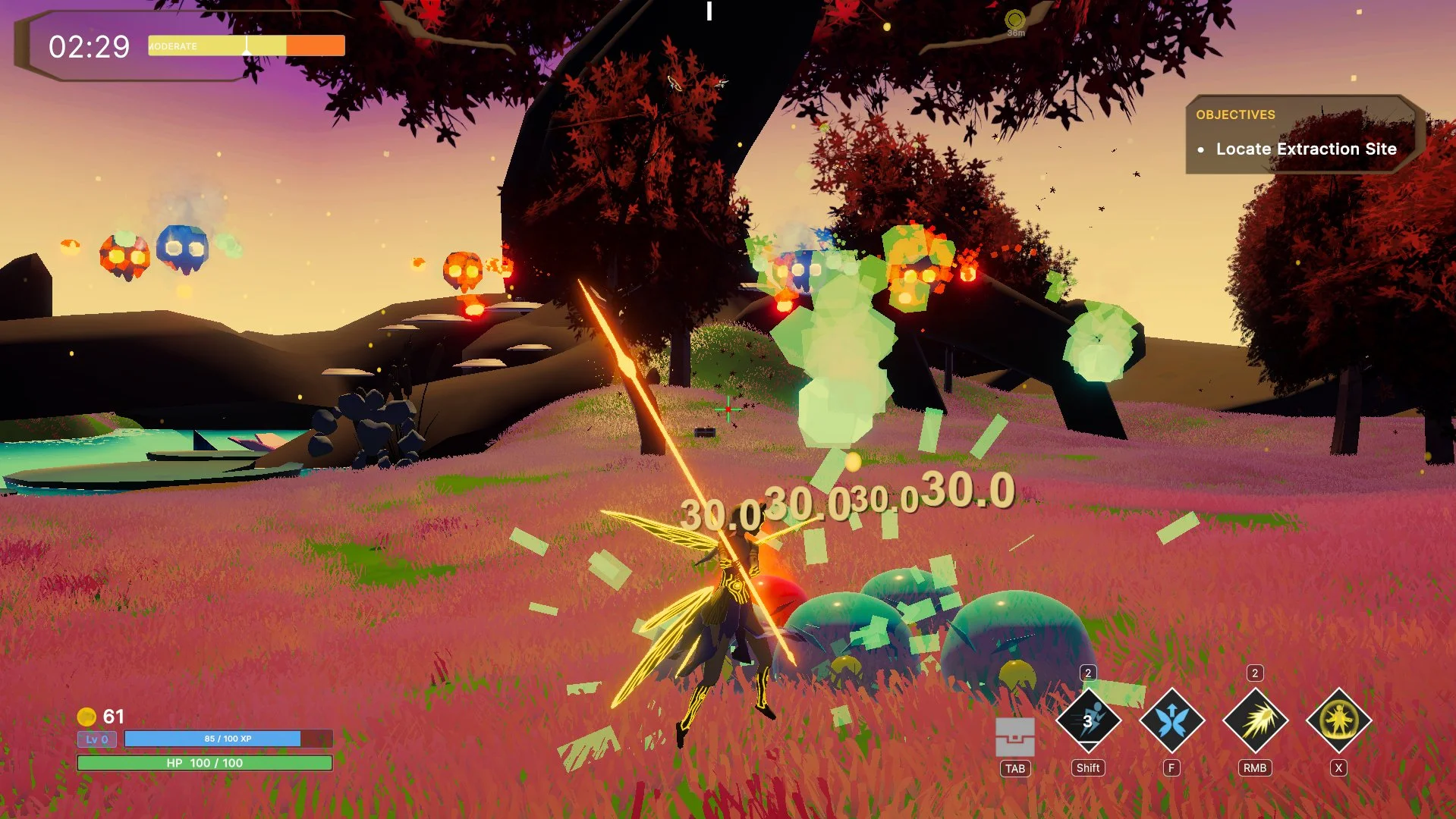
Welcome to the forest! Created in Unity, Cradle of the Rift is a single-player roguelike hack-and-slasher featuring…
Third-Person Combat — Fight off an endless swarm of relentless monsters closing in on you from every possible direction.
Unique Movement — Take control of a novel movement system completely based around hovering and flying as a lightweight, nimble fairy.
Difficulty Progression — Rise to the challenge and test your skill as enemies grow stronger and stronger by the minute.
Random Items — Use gold earned from eliminating mobs to open chests and collect items that enhance your fighting performance.
Random Upgrades — Gain experience as you eradicate monsters and keep unlocking new upgrades to become stronger.
Weapon Variety — Find weapon shrines scattered around the map and learn the behavior of their unique projectiles — pick the one that suits your preferred combat style.
Assorted Enemies — Slimes, wisps, golems — fend them off and beware of their dangerous elemental variants.
Personal Contributions
My contributing role was core mechanics engineering. On top of my role, I made additional efforts toward maintaining the codebase with necessary refactors and finding improvements to various systems. My primary contributions were the following.
Player Movement System — It was my responsibility to program a high-quality, production-ready movement system for the player. The finished version is an original gameplay design combining a robust list of refined mechanics curated to create a novel and pleasantly smooth controlling experience.
Player Combat System — I handled the programming and implementation design of a combat system featuring real-time combo attacks and diverse projectile behaviors. I employed solid, industry standard programming techniques to ensure stable and accurate hit registration.
Humanoid Animation Graphs — My work on the humanoid animation graphs ensured airtight animation functionality for the player and two golem NPC types. While advising our animator on how to partition the animations, I planned out the graphs and blend trees inside the engine before integrating all movement and attack animations into them.
FTUE Toolset System — I independently designed and programmed an FTUE toolset system that acted as the primary infrastructure for all events in the game’s tutorial experience. I developed this toolset to enable our designers to rapidly prototype, implement and test a working tutorial level with broad situational freedom.
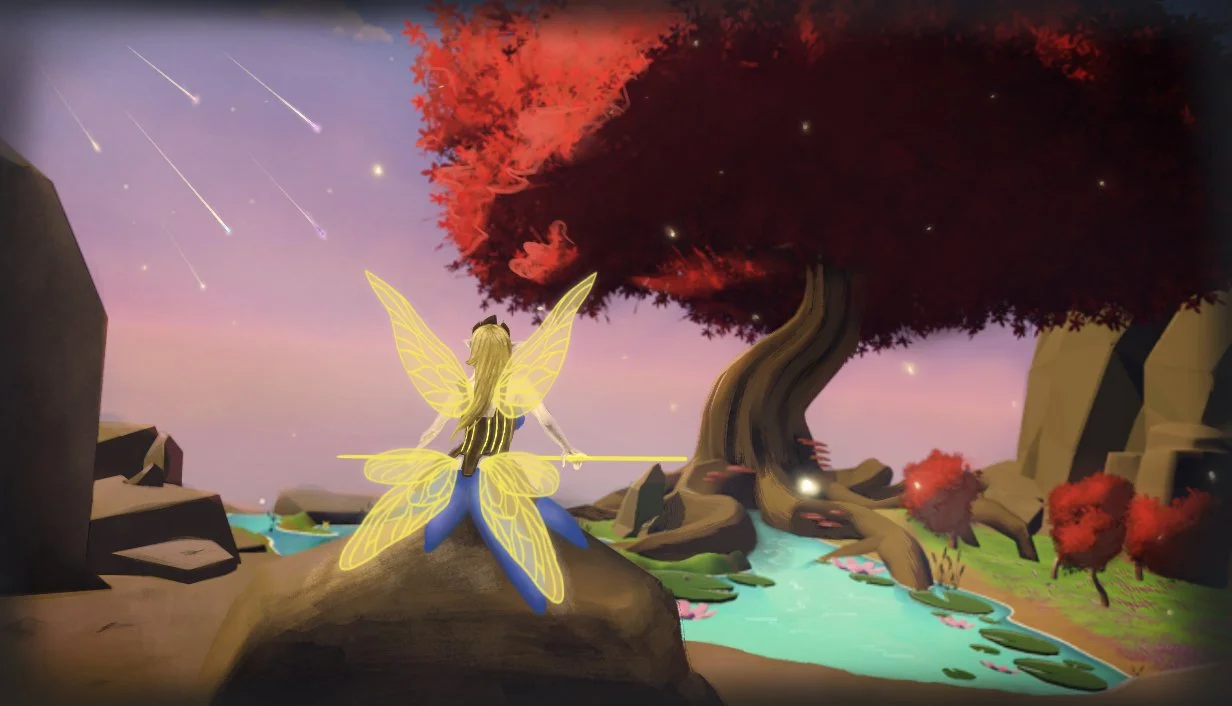
*Art not representative of my work.
Player Movement System
The movement system is what sets our game apart from others. It provides the player with a great degree of movement freedom both on the ground and in the air. After compiling design ideas and information over the course of multiple discussions, I produced an implementation that satisfied all desired movement abilities and eliminated any control scheme conflicts.
Design Goals
Create a movement system that feels like how a fairy would move.
Omni-directional dashing for mobility and dodging incoming attacks.
Floating down slowly whenever holding spacebar while falling.
Ability to fly through the air.
Design Process
Our process began with a discussion between myself and the creative members of my team about the needs of the movement system. At the end of the discussion, we settled on three main mechanics: dashing, floating down and flying. The major concern was about how to achieve the jumping, floating and flying mechanics without them competing for ownership over the spacebar.
Periodic discussions about how the flying mechanic should work continued between me and one of our designers for some time after that. Eventually, our ideas and observations reconciled into a cohesive flying mode system. The player would press F to toggle flight mode, hold spacebar to fly up and hold left control to fly down. Jumping and floating were disabled outright while flight mode was active. Once flight mode was either disabled or exhausted, spacebar functionality would switch to jumping if on the ground or floating if in the air and falling. To make the overarching structure of the entire movement system readily comprehensible during development, I sectioned all of the conditional logic for every movement phase into its own method. That way, the macro-level logic flows downward step by step in one small, readable block of code.
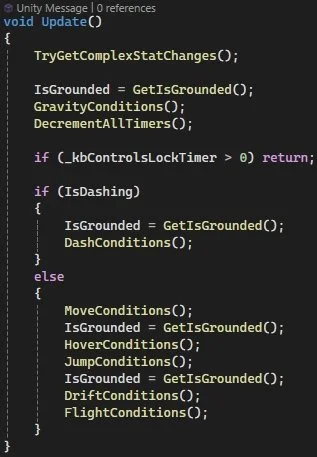
Overarching movement structure.
Aside from the explicitly agreed upon mechanics, I had a lot of discretion to handle my own technical implementations in pursuit of our design goals. One of the first things I did was make the character capsule hover and smoothly bob up and down upon falling onto the ground. This greatly reinforced the fairy-like feel. I also incorporated important quality of life mechanics which I was already familiar with like coyote time for jumps. Additionally, I took it upon myself to research even more advanced quality of life mechanics such as directional momentum, ground-clamping and collision sliding. Directional momentum made the player feel less jittery when changing directions quickly, as if they had a small amount of real weight to them. Ground-clamping aligned the player’s horizontal movement direction parallel to the ground directly beneath them (except when in the air or on extremely steep terrain) in order to ensure they maintain normal hovering height while moving up or down inclines. Collision sliding worked in tandem with ground-clamping, ensuring that the player slid down against steep inclines instead of becoming inexplicably stuck to the ground. All three of these additions significantly enhanced game feel and removed friction from the overall experience.
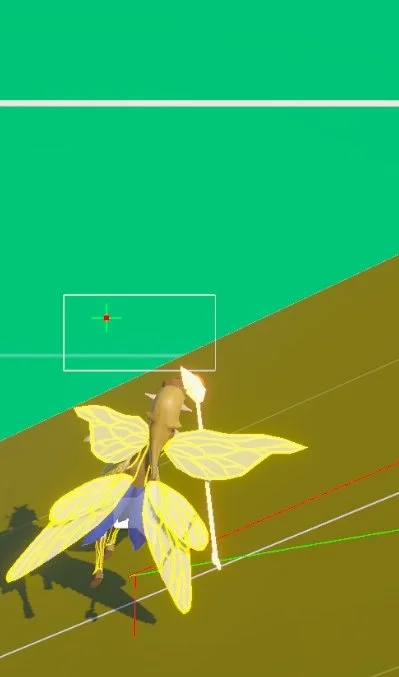
Red ray pointing down = hover checking.
Red ray parallel with ramp = target move direction.
Green ray = current move direction.
Key Takeaways
Mechanic Cohesion — Movement systems should be planned alongside combat and enemy systems as a single unit, not individually. Our movement system did end up as a very unique, interesting and even enjoyable experience, but it occasionally worked against our melee-oriented combat and oftentimes made engaging ground enemies both optional and undesirable.
Code Maintainability — The script for a fully fleshed-out 3D movement system can become very long, very fast. A plan should be made to compartmentalize different movement mechanics into their own scripts while maintaining unrestricted communication with each another.
Helpful Documentation — By adhering to good practices and carefully documenting every method in my code, I enabled fellow engineers to navigate my work independently. If not for this, productivity could have slowed down later if I needed to stop what I am doing and explain my work to them.
Player Combat System
Our combat system consists of a primary melee attack and a secondary ranged attack. The melee attack can combo twice before a short reset while ranged attacks have stacks that fire once per and recharge slowly. Once the core of the system was complete, I suggested we add a small selection of weapons that exist to give the player a variety of ranged attacks so they can pick the one that best suits their playstyle.
Design Goals
Create a combat system with melee and projectile attacks.
Ability to combo melee attacks.
Ability to perform a “shockwave” attack.
Ability to consume and recharge stacks for ranged attacks.
Ability to swap currently held weapon for a different one.
Give the weapons different projectile behaviors.
Design Process
Our design vision for the combat system evolved in small steps over the course of development. The initial plan for melee was that the player could combo up to three attacks before needing to wait for a small cooldown. This was scoped down to two attacks so our animator could focus on more essential work. However, this change of plans was not a problem for me since I designed the melee system with an emphasis on scalability so it could support any quantity of combo attacks if provided the animations for it.
Since I was given full implementation freedom over this system, I decided that real-time attacks which register damage along a weapon’s swing path would benefit game feel greatly by adding a spatial element to the melee combat. Fortunately, I was already familiar enough with melee combat design to know that volume casts must be performed between the previous and current locations of a weapon on every frame of an attack in order to ensure a hit always registers. The chance of a large frame rate drop causing a registration gap necessitates this. While writing the implementation, I realized I could make it accessible to our designers by performing the volume cast across two points on the weapon prefab. That way, they were able to simply move the two points around and balance the attack range with ease.
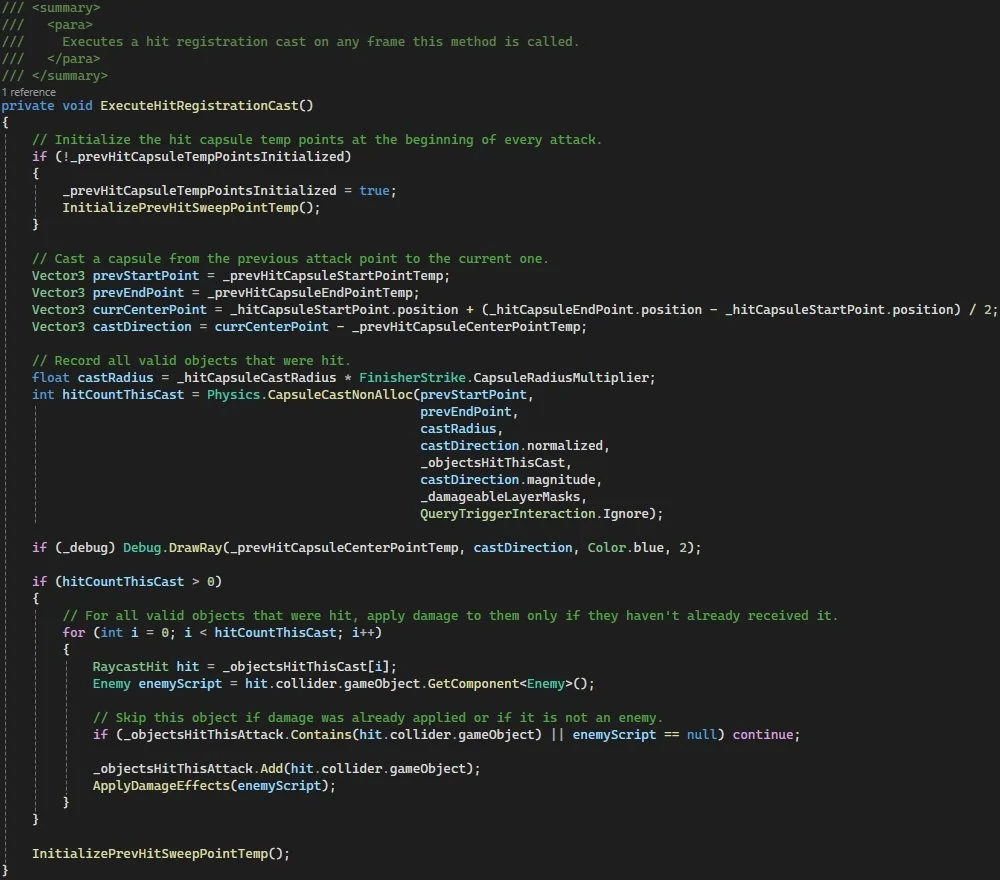
Airtight hit registration via capsule casting.
During playtests, I noticed that players struggled with aiming melee attacks because the swing path never traveled directly through the crosshair. This was due to the simple fact that the third-person camera was offset above the player, thereby elevating the crosshair above the swing path. I hatched an idea to fix this by continually raycasting through the crosshair for the duration of a swing, getting the point where the current raycast intersects anything in the world and then tilting the player toward the intersection point. This solution worked elegantly to resolve the issue by ensuring attacks always swing at whatever the player is trying to hit.
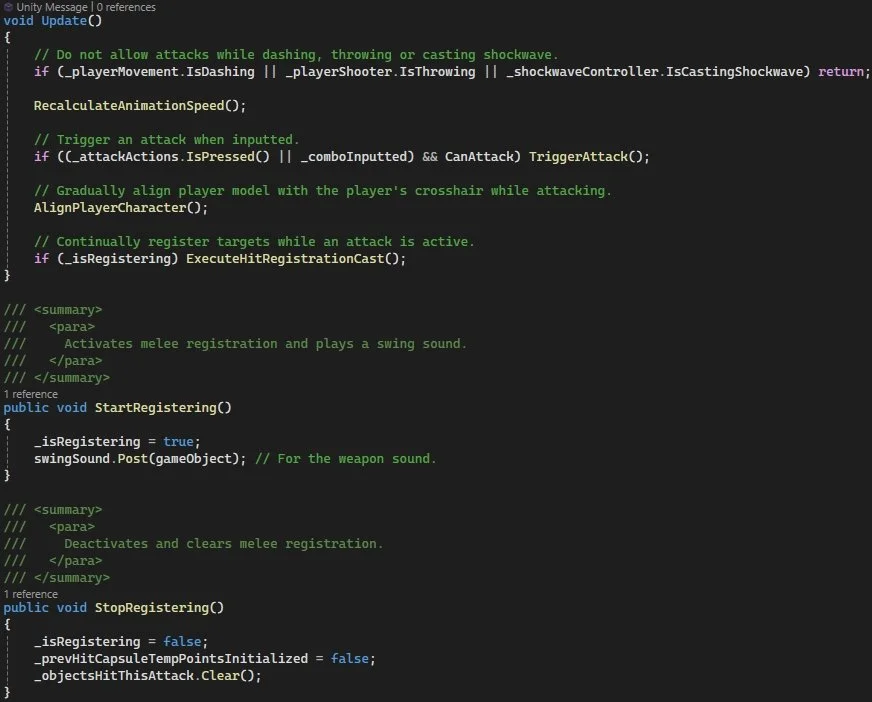
Overarching melee structure.
The next step was to add a shockwave ability. This was an explosive ability that the player could activate to damage and knock back all enemies in their immediate vicinity. At a later date, I took the extra step of turning shockwave into its own class and system so that it could be spawned by anything. Doing this expanded its use potential beyond just serving as an ability and gave designers more options for future gameplay mechanics.
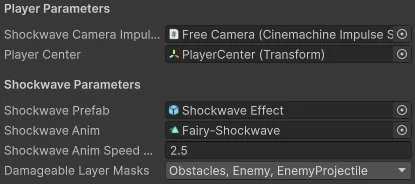
Interface for the shockwave ability.
On top of the melee and shockwave systems, our initial plan included a secondary ranged attack for a more dynamic combat playstyle. At this point in development, I felt that the gameplay was still very limited and could benefit greatly from a balanced weapon variety. At my suggestion, we expanded our combat design to give players a choice between four different weapons. The weapons had identical melee functionality, but their ranged attacks featured different projectile behaviors each with their own benefits in practice. The variety I programmed was a throwable spear that travels straight, a throwable mace that arcs heavily with gravity and emits a shockwave upon impact, a magic staff that casts exploding fireballs which travel straight, and a throwable spinning axe that returns like a boomerang and bounces whenever it collides with the world.
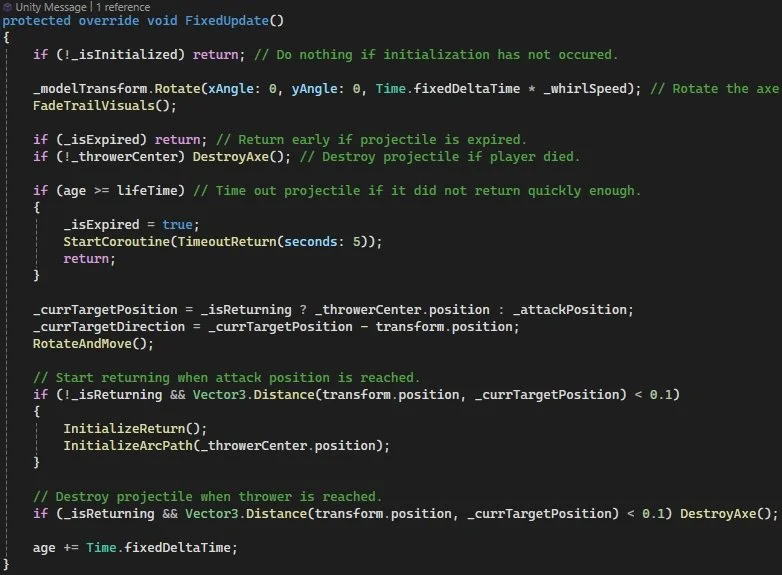
Overarching structure of the boomerang axe.
My initial weapon-switching implementation involved items on the ground that could be picked up using the interact key, but this code was later repurposed into a more interesting weapon rune mechanic. Because my code was written modularly, it was already compatible and required no changes.
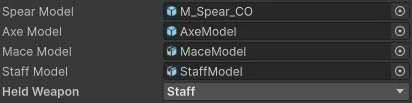
Weapon Variety
Key Takeaways
Good Practices — Adhering to key programming design practices like performance, scalability and maintainability allows for easier experimentation and will save time later down the line if there is a change of plans.
Systematic Planning — The timing math for a combo attack system powered by an animation graph should be written down and accounted for very carefully, otherwise a lot of time will be spent debugging.
Creative Solutions — A results-driven creative process can lead to solutions for unexpected or unfamiliar problems. It can save bold designs from being discarded and lead to upgraded gameplay experiences.
Humanoid Animations Graphs
All of our humanoid animations were incorporated into the game using animation graphs. For the player, these animations consist of idle, moving (forward, backward, left, right), jumping, dashing (forward, backward, left, right), flying, two melee attacks, weapon throw and shockwave ability. For the golems, these animations consist of idle, walking forward, slam attack, swing attack, boulder throw and rock shrapnel fling.
Design Goals
Animate all player and golem actions.
Ensure all actions are connected in closed loops that return to idle when no inputs are given.
Design Process
Since I was in charge of both movement and combat, the responsibility of learning how to fit the animations into these systems fell onto me. Figuring out how to structure the animation graphs and fit them into my code was actually an intuitive process. I utilized blend trees to make the moving and dashing animations blend with each other when using the intermediary WASD angles. By the end of it, the player’s animation graph was fully puppeted by their movement and combat scripts.
After setting up the animation graphs and walking blend trees for the golems, I worked with another engineer on integrating them into his state machine code. This process required a little more involvement, but we cooperated closely and were successful in bringing the golems to life.
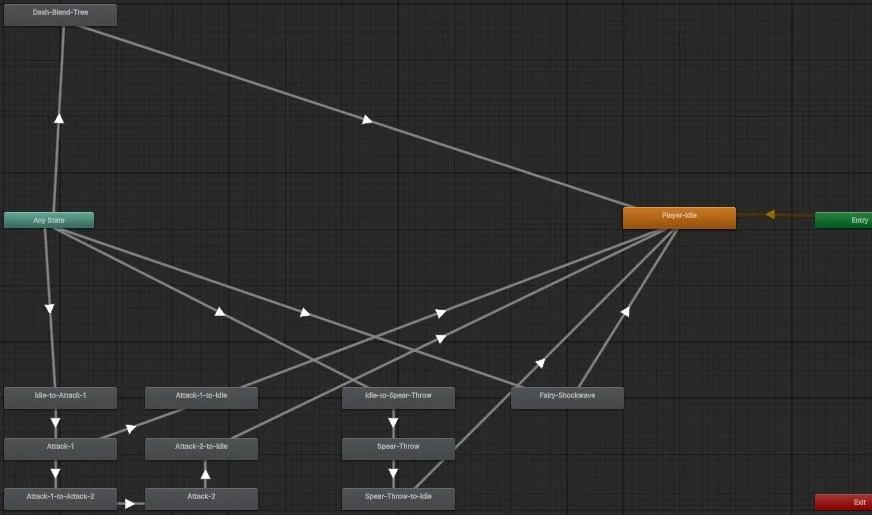
Player Animation Graph
Key Takeaways
Cross-Functional Communication — Understanding how to communicate with an animator about the needs of a system before they start working is crucial. In this case, being able to show them the right places to split their animations for conditional attack branching made the whole process painless.
Blended Animations — Not every action in a game needs to be animated. With the help and guidance of engineers, animators can exploit the animation blending features of a game engine to expand the scope of their work.
FTUE Toolset System
The FTUE toolset serves as the backbone of our game’s tutorial level. Knowing the benefit of giving players a controlled environment to learn the controls and game loop, I designed this toolset with the designers in mind so they could take the interface and use it without my direct involvement in the level-making process. Its open-ended design provided them with an array of creative freedom to orchestrate situations by manipulating specified objects upon specific events being triggered in the level.
Design Goals
Create a toolset that can broadly cover any situation necessary for an FTUE.
Allow for an indefinite quantity of events that are differentiated by customizable names.
Make the interface simple and intuitive for ease of use.
Design Process
The deadline was approaching and the need for a system that could streamline the development of a tutorial level became critical. I began with the very basic concept that everything required to happen inside an FTUE could be achieved through the simple tasks of enabling, disabling, destroying and teleporting objects that were already pre-placed inside a level.
I split the overall design into two scripts: one for tutorial objects and one for the tutorial manager. Tutorial objects were separated into two types: touchable and destroyable. Touchable objects trigger their event when touched and destroyable ones trigger when destroyed. Additionally, I included options to make a touchable tutorial object single-activation or exclusive to a list of activation targets. I made these choices with the consideration that certain touchable triggers should not activate multiple times and should not be susceptible to unintended activation. For example, a touchable object intended for activation by the player being set off by contact with a projectile instead.
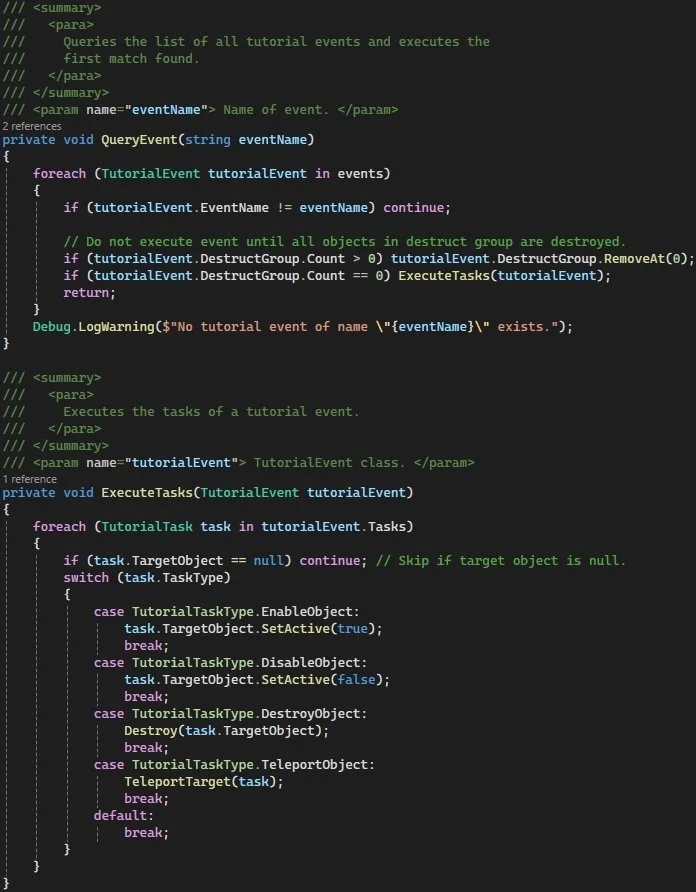
Event Querying
The tutorial manager script acts as the hub for storing a list of every allocated triggerable event by name. Each event itself contains a list of tasks. Every task has an assigned type (enable, disable, destroy, teleport) and target object. Through deeper consideration, I realized that an assignable “destruction group” was also necessary so that events utilizing it could only be triggered when all objects in the group are destroyed. This feature made it possible to restrict progression until common gameplay goals are achieved, such as killing all enemies or collecting all items in an area.
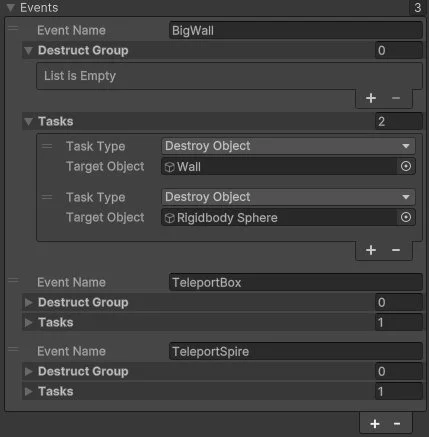
Event Management
Key Takeaways
Developing Features — Game engines aren’t limited to existing features. They have built-in APIs that can be used to expand the in-engine toolset for designers and other team members.
Powerful Design Patterns — The singleton design pattern is very powerful and versatile for accomplishing a wide variety of abstract organization tasks.
Up Next
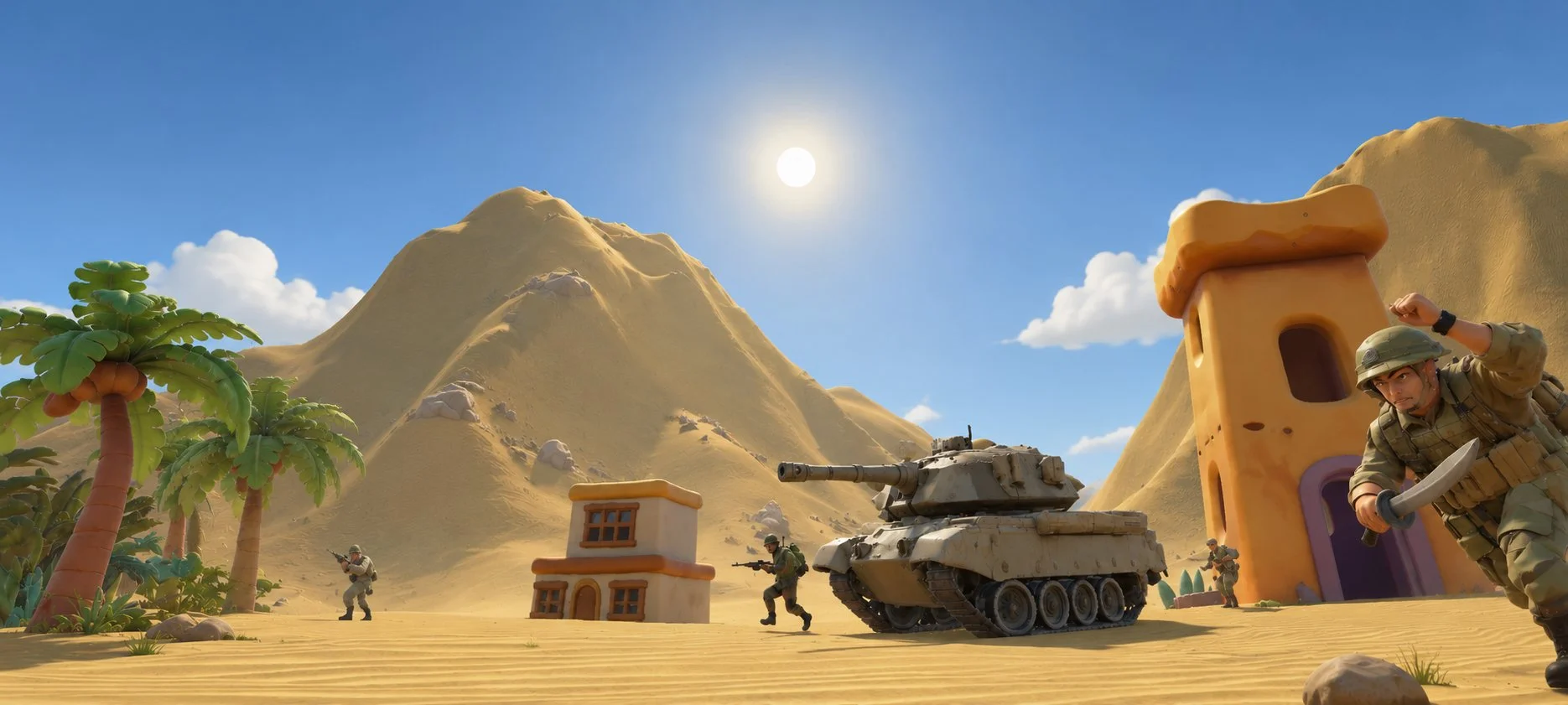
AA War Lane
Auto-Battler (Windows/Android)
Production, Design and Engineering Lead
Envisioned the gameplay concept and collaborated in a small team to sharpen it. Handled all engineering responsibilities myself inside of Unity Engine.
*Art assisted by AI.